If you have ever stared at a WordPress media library stuffed with hundreds of unorganized images and wondered why there is no folder system, FileBird is the plugin that solves exactly that problem. Built by NinjaTeam and available on CodeCanyon, FileBird brings a proper folder hierarchy to your WordPress media library, and it does it with a clean, intuitive interface that works inside every major page builder. Get Lifetime Deals
What is FileBird?
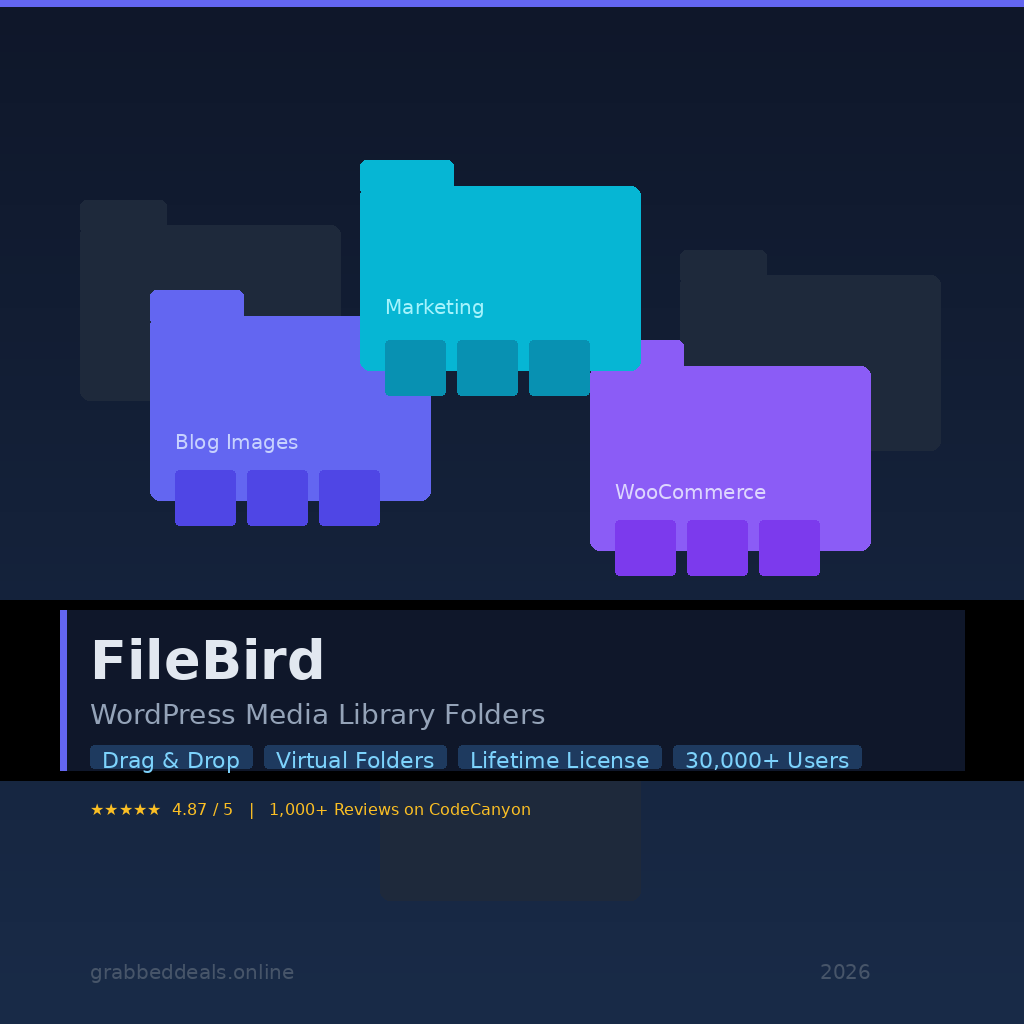
FileBird is a WordPress media management plugin that introduces a virtual folder system directly inside your WordPress media library. It falls into the WordPress utilities category and is built for site owners, developers, and content teams who manage large volumes of media assets. The core problem it solves is simple: WordPress ships with no native folder structure, so as your site grows, your media library becomes an unmanageable dumping ground.
FileBird creates unlimited virtual folders without changing your actual file paths on the server, meaning your existing URLs and embedded images remain completely untouched. The plugin is consistently well-reviewed by verified users on G2’s WordPress plugins category, reflecting its popularity across a wide range of site types from blogs to WooCommerce stores.
- Unlimited virtual folder creation with drag-and-drop organization
- Full compatibility with Elementor, WPBakery, Divi, Gutenberg, Beaver Builder, and more
- Extends folder organization beyond media to pages, posts, and custom post types
How Does FileBird Work?
FileBird integrates seamlessly into your existing WordPress dashboard, so there is no separate interface to learn.
- Install and activate the plugin from your WordPress dashboard after purchasing from CodeCanyon. Activation is handled via a license key from your Envato account.
- Open your Media Library. You will immediately see a new folder panel on the left side. All existing files appear under “All Files” and nothing is disrupted.
- Create folders by clicking the “New Folder” button. Name folders by client, campaign, year, content type, or any structure that suits your workflow.
- Drag and drop files into folders directly from the media grid, or use the bulk select mode to move multiple files at once into a target folder.
- Access your organized folders inside page builders. When you insert an image in Elementor, Gutenberg, or Divi, the FileBird folder panel appears in the same media modal, so you can browse to the exact folder without hunting through thousands of files.
Tips for Using FileBird
Getting the most out of FileBird comes down to a few smart habits:
- Set up your folder structure before importing existing assets. A consistent naming convention (by year, project, or content category) saves significant time when you later need to bulk-move hundreds of files.
- Use folder colors to speed up visual navigation. FileBird supports over 16 preset colors plus custom HEX values, so you can color-code by client or priority to identify the right folder at a glance.
- Enable the Startup Folder setting so every user on your team lands in the most-used folder by default, cutting down repetitive clicks across daily uploads.
- Pair FileBird with a page builder’s native insert-image workflow. Most users miss the fact that the folder tree appears inside the Elementor and Gutenberg media modals. As verified reviews on Capterra’s WordPress media plugins page confirm, the best tools in this category integrate tightly with existing workflows rather than forcing you into a separate tool.
- Avoid deleting folders without checking contents first. FileBird uses intelligent deletion: removing a folder moves its files to “Uncategorized” rather than deleting them. Still, verifying before you delete is good practice to keep your library tidy.
FileBird Review: Pros and Cons
After hands-on evaluation, FileBird holds up as one of the most polished and feature-complete media organization plugins in the WordPress ecosystem. Here is where it shines and where it has room to grow.
Pros
- True drag-and-drop interface that works across grid and list views
- Zero impact on existing file paths or frontend image display
- Extends organization to posts, pages, and custom post types, not just media
- Lifetime license with no recurring fees and free lifetime updates
- Compatible with virtually every major page builder and multilingual plugin (WPML, Polylang)
Cons
- No free version; the plugin starts at $49 on CodeCanyon
- Cloud storage integration (Google Drive, Dropbox) requires a separate add-on plugin
- The Document Library front-end feature is also a paid add-on, not included in the core price
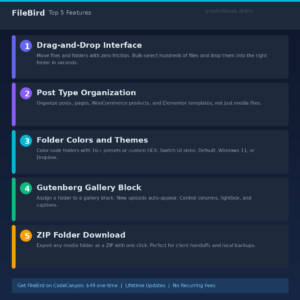
Top 5 Features of FileBird
1. Drag-and-Drop Folder Management
FileBird’s drag-and-drop system is fast and intuitive. You can drag individual files or entire folders into new positions, move bulk-selected media in a single gesture, and reorder your folder tree without any page reloads. It uses native browser drag events, so the experience feels exactly like working with files on your desktop.
2. Post Type Organization
What sets FileBird apart from basic media managers is its ability to organize beyond the media library. You can create folder structures for posts, pages, WooCommerce products, Elementor templates, and other custom post types, bringing consistent organization to your entire WordPress admin.
3. Folder Colors and Themes
FileBird supports 16+ preset folder colors plus custom HEX input, and lets you switch the folder panel skin between three themes: FileBird Default, Windows 11, and Dropbox. It is a small detail that adds genuine visual clarity when you are managing a large folder tree.
4. Gutenberg Gallery Block
FileBird ships with a native Gutenberg block that lets you assign an entire folder to a gallery. Every image uploaded to that folder automatically appears in the gallery, with controls for column count, lightbox, captions, and crop settings. This keeps your galleries dynamically in sync without manual updates.
5. ZIP Folder Download
Administrators can download any folder from the media library as a ZIP file in a single click. This is a practical feature for agencies handing off client assets, running local backups, or sharing a batch of files without navigating FTP or a file manager.
FileBird Alternatives
Real Media Library (by devowl.io)
Real Media Library is the closest direct competitor, offering a similar folder-based structure for WordPress media. It is well-regarded for developer-friendly features and REST API support, but its pricing model is subscription-based, which makes FileBird’s one-time payment more attractive for long-term use.
WP Media Folder (by JoomUnited)
WP Media Folder is a comprehensive alternative with cloud synchronization built in and strong Nextcloud support. It suits larger teams that need cloud-native workflows, but it comes at a higher price point and the UI is more complex than FileBird’s.
Media Library Folders (by Max Foundry)
Max Foundry’s plugin takes a different approach by creating actual server-side folders that mirror your WordPress directories. This appeals to developers who want a physical folder structure, but it adds complexity around file path management that FileBird’s virtual approach avoids entirely.
Why Choose the Lifetime Deal?
FileBird’s one-time pricing on CodeCanyon at $49 is one of the cleanest value propositions in the WordPress plugin ecosystem. There are no monthly fees, no seat limits based on a recurring plan tier, and the lifetime license includes all future updates for the life of the plugin.
- One-time payment with zero monthly fees going forward
- Locks in full access including future feature updates before any price increases
- For content teams and agencies managing multiple sites, the per-site cost is significantly lower than subscription alternatives that charge annually per domain
- Ideal for freelancers, bloggers, and agencies who want predictable software costs
Lifetime deals on tools like FileBird tend to run for a limited window before pricing shifts. The lifetime deal model, popularized by AppSumo and similar platforms, has made one-time software purchases a mainstream option for indie makers and small teams who want to avoid subscription fatigue.
What is the FileBird Lifetime Deal?
| Field | Details |
|---|---|
| Plan / Tier | Regular License: $49 |
| Includes | FileBird core plugin, unlimited virtual folders, all current features, lifetime updates, 6 months support from NinjaTeam (extendable to 12 months for $16.50) |
| Deal Source | CodeCanyon (Envato Market) |
| Refund Policy | Subject to Envato’s standard refund policy; check item support page for current terms |
| Deal Status | Active on CodeCanyon at $49 Regular License |
FileBird Lifetime Deal: Our Verdict
FileBird is a genuinely useful plugin that fixes one of WordPress’s most frustrating omissions. If you manage any site with more than a few dozen media files, the $49 price pays for itself in time saved within weeks. The folder system is fast, the page builder integration is excellent, and the zero-impact approach to file paths means there is no risk of breaking existing embeds. Content teams, freelancers, and agencies building client sites will get the most from it. If you have been putting off getting your media library under control, FileBird is the cleanest solution available today.
Ready to grab the deal? Purchase FileBird on CodeCanyon for $49
Summary
FileBird by NinjaTeam is the definitive WordPress media library folders plugin, bringing unlimited drag-and-drop folder organization to an area WordPress has neglected since its launch. It works without touching your actual file paths, integrates inside every major page builder, and now extends folder management to posts, pages, and custom post types. At a one-time price of $49 with lifetime updates and no recurring fees, it is among the best-value WordPress plugins available in 2026. If clean media organization matters to your workflow, this purchase is a straightforward decision.
Frequently Asked Questions (FAQ)
Q: Is FileBird worth it in 2026? Absolutely. With over 30,000 active users, a 4.87-star rating from 1,000+ reviews on CodeCanyon, and regular updates through late 2025, FileBird remains the most polished WordPress media folder plugin available. The one-time $49 cost makes it an easy investment for any site that deals with significant media volume.
Q: Does FileBird have a free trial or free plan? FileBird does not offer a free version on CodeCanyon. There is a free lite version available on the WordPress plugin repository with limited features, but the full folder management experience, page builder integration, and post type organization are exclusive to the paid version.
Q: Who is FileBird best suited for? FileBird is ideal for WordPress site owners, content creators, agencies, and developers managing sites with large or growing media libraries. It is particularly valuable for teams using WooCommerce, Elementor, or Gutenberg who need organized access to media assets while building pages.
Q: Does moving files into FileBird folders change their URLs or break existing embeds? No. FileBird uses virtual folders, meaning the underlying file paths on your server do not change. Any image already embedded in a post or page will continue to display correctly after you move it into a folder.
Q: Can multiple users each have their own folder view? Yes. FileBird includes a user-based folder mode that allows each WordPress user to see and manage their own folder structure independently, which is particularly useful for multi-author sites and client-facing setups.
Q: Does FileBird work with WPML and Polylang for multilingual sites? Yes. FileBird is fully compatible with both WPML and Polylang, including correct file counters per language and synced folder assignments across translations.
Published by GrabbedDeals.online – Appsumo Deals | WP Themes & Plugins | DealFuel | Dealify | DealMirror | RocketHub | StackSocials | Others|