Sitting through a 45-minute YouTube video to find one useful insight is no longer your only option. Transcript Generator is a purpose-built AI tool that pulls full transcripts, summaries, and interactive chat from any YouTube video in seconds. Right now, it is available as a lifetime deal on Dealify, and it is worth a close look. Get Lifetime Deals
What is Transcript Generator?
Transcript Generator is an AI-powered productivity tool built to help you extract real value from YouTube videos without watching them in full. It belongs to the growing category of video-to-text and AI summarization tools, and it is designed for anyone who consumes YouTube content as part of their work or learning routine.
The core problem it solves is simple: YouTube holds enormous amounts of valuable information, but the format forces you to watch at video speed. Transcript Generator breaks that constraint by converting any video into a searchable, readable, and interactive document you can skim, search, download, and even chat with.
It is consistently well-reviewed by verified users on G2 in the video and transcription software category, and its user base spans students, teachers, marketers, content creators, and researchers. The tool works entirely in the browser, requires no installation, and handles videos even when native YouTube subtitles are unavailable.
Key attributes at a glance:
- Instant transcript generation from any YouTube URL
- AI-powered summaries with clickable timestamps
- Interactive video chat powered by AI
- Multilingual caption translation across major languages
How Does Transcript Generator Work?
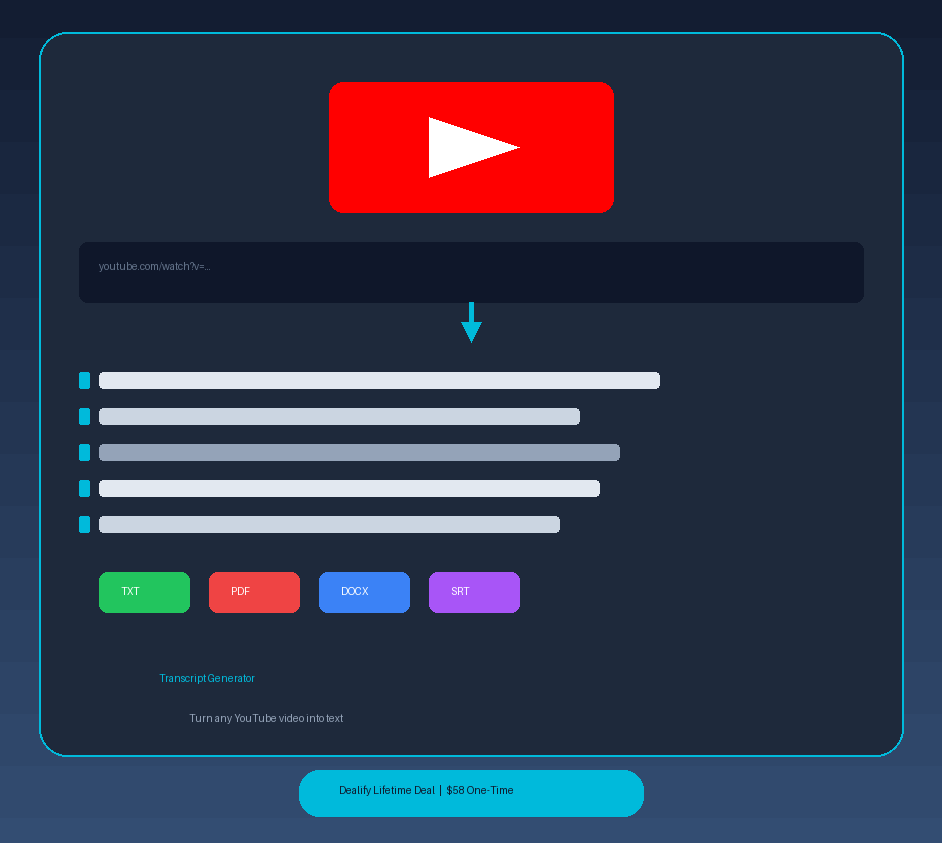
Getting from a YouTube link to a usable transcript takes under a minute. Here is the basic user flow:
- Paste the YouTube URL into the Transcript Generator interface. No account setup is required to get started.
- Wait a few seconds while the tool fetches and processes the video audio. Even videos without native captions are handled through its built-in transcription engine.
- Read or skim the transcript, which appears alongside the video player with clickable timestamps. Click any line to jump to that exact moment.
- Generate an AI summary to get a structured breakdown of the video’s key points, organized by section with timestamps for easy navigation.
- Download your transcript in your preferred format (TXT, PDF, DOCX, SRT, or VTT) or use the AI chat feature to ask questions, pull quotes, or generate a blog post draft from the content.
Tips for Using Transcript Generator
Getting the most out of this tool comes down to knowing which features to lean on for each use case.
- Use the AI summary first on long videos. Before reading a full transcript, run the summary feature to identify which sections are worth your time. This is especially useful for webinars and conference talks that run over an hour.
- Use the search function to find specific moments. Once a transcript is generated, the built-in keyword search highlights every instance of a word or phrase, so you can find a specific quote or statistic without scrolling manually.
- Chat with the video to generate repurposed content. The AI chat feature is not just for Q&A. Ask it to write a LinkedIn post, a blog intro, or a set of bullet points based on the video, and it will pull context directly from the transcript.
- Pair it with your content research workflow. As research on Capterra’s productivity tools category consistently shows, the most effective content teams use purpose-built tools to cut research time. Using Transcript Generator alongside a note-taking app creates a fast, repeatable research pipeline.
- Do not overlook the multilingual translation feature. If you follow thought leaders who publish in other languages, or if you create content for international audiences, the translation output can be downloaded just like a standard transcript.
Transcript Generator Review: Pros and Cons
Transcript Generator does a lot well, but it is not without its limitations. Here is an honest breakdown before you decide.
Pros
- Transcripts are generated quickly, even for lengthy videos without native captions
- Multiple export formats (TXT, PDF, DOCX, SRT, VTT) cover most professional use cases
- The AI chat feature goes beyond passive reading and turns videos into interactive resources
- Multilingual translation is genuinely useful for international research and content creation
Cons
- Credits are consumed per use, and the Standard plan’s 1,500 monthly credits may run out for heavy users
- Credit calculation methodology is not fully documented, which has caused confusion for some users
- The tool is currently limited to YouTube and does not support other video platforms
Top 5 Features of Transcript Generator
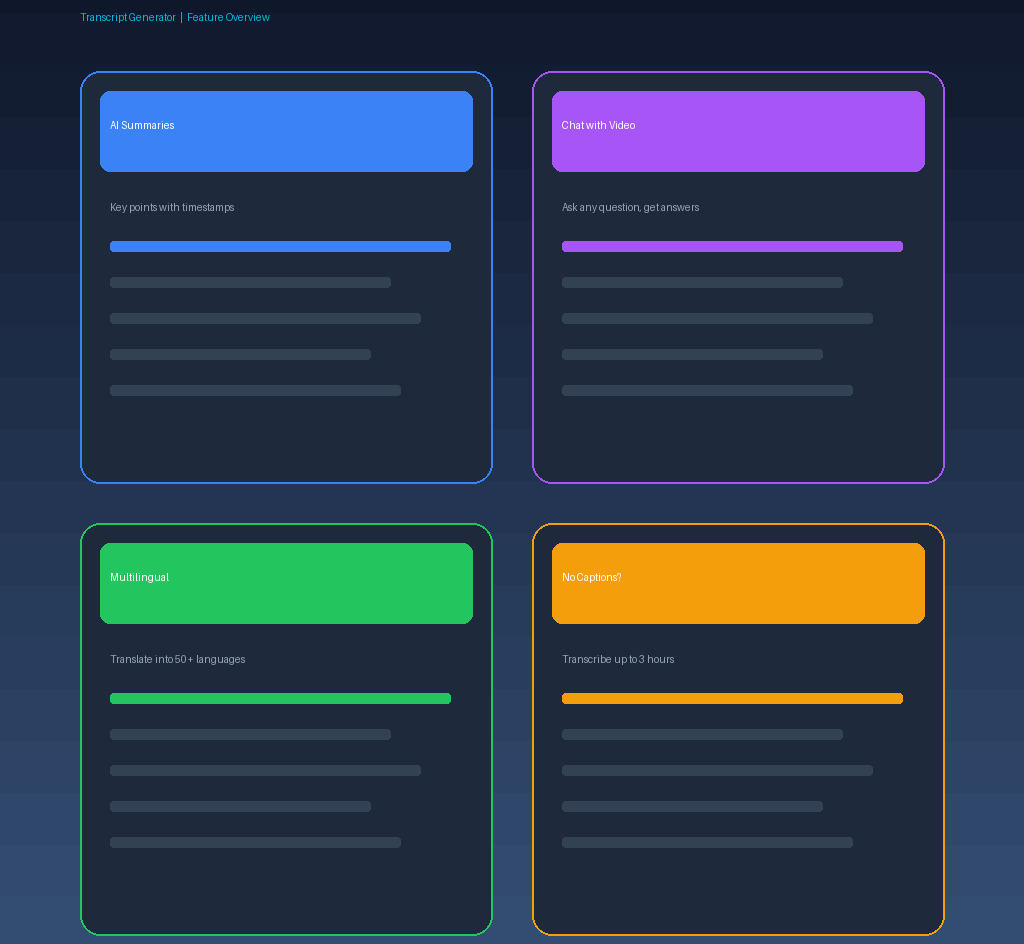
1. Instant Timestamped Transcripts
Paste any YouTube URL and receive a complete, time-coded transcript in seconds. Each line is clickable, jumping the video to that exact point. Auto-scroll keeps the transcript in sync as you watch, making it useful for following along or reviewing later. Transcripts download in TXT, PDF, DOCX, SRT, or VTT formats.
2. AI-Powered Video Summaries
Long videos are broken down into clean, structured summaries with key points and precise timestamps. Instead of reading hundreds of lines of transcript, you get a scannable outline of the entire video. This feature alone saves significant time when evaluating whether a video is worth deeper review.
3. AI Chat with Video
Rather than reading passively, you can ask the AI direct questions about any video and receive answers grounded in the transcript. This opens up use cases like generating blog posts, study notes, social captions, or interview summaries, all without leaving the tool.
4. Multilingual Caption Translation
Transcript Generator translates captions into major world languages including German, Spanish, French, and Chinese, even when YouTube does not offer native subtitles for the video. This makes previously inaccessible content available to multilingual teams, students, and global audiences.
5. Videos Without Captions Supported
Many high-value YouTube videos, especially older lectures, niche tutorials, and recorded webinars, have no subtitles at all. Transcript Generator’s transcription engine handles these automatically, generating an accurate transcript from the audio. The Premium plan handles videos up to 3 hours long.
Transcript Generator Alternatives
Otter.ai
Otter.ai is a well-known transcription tool focused primarily on live meetings and audio recordings. It integrates with Zoom and Google Meet, which makes it strong for team use. However, it is not optimized for YouTube-specific workflows and lacks the AI chat and video-synced reading features that Transcript Generator offers.
Tactiq
Tactiq is a Chrome extension that captures meeting transcripts in real time from Google Meet, Zoom, and Teams. It is a solid pick for live meeting documentation but does not process YouTube videos at all, which makes it a different tool category entirely rather than a direct competitor.
NoteGPT
NoteGPT offers YouTube summarization and AI note-taking with a browser extension. It overlaps more closely with Transcript Generator in terms of use case, but its free tier is limited and the full feature set requires a recurring subscription, making Transcript Generator’s lifetime deal a more cost-effective long-term option for independent users.
Why Choose the Lifetime Deal?
Recurring SaaS subscriptions add up fast. Tools in the productivity and AI category commonly run between $10 and $30 per month, meaning you could pay $120 to $360 per year for a single tool, indefinitely.
The Transcript Generator lifetime deal on Dealify lets you lock in full access with a single payment, with no monthly fees going forward. You also lock in your pricing before any future increases, which is a real consideration as AI tooling costs continue to rise.
For freelancers, independent researchers, and solo content creators, the ROI calculation is straightforward: the Standard plan pays for itself after roughly two to five months of typical subscription pricing. The lifetime deal model, popularized by platforms like AppSumo’s deal marketplace, is particularly strong for tools you will use consistently rather than occasionally.
The deal is active now, but lifetime deals on Dealify run for limited windows. Once the campaign closes, pricing reverts to standard subscription rates.
What is the Transcript Generator Lifetime Deal?
| Field | Details |
|---|---|
| Standard Plan | $58 one-time (reg. $580) |
| Standard Includes | 1,500 credits/month, transcript download, translation, AI summaries, AI chat, transcription up to 1.5 hours/video |
| Premium Plan | $87 one-time (reg. $870) |
| Premium Includes | 3,000 credits/month, all Standard features, transcription up to 3 hours/video |
| Deal Source | Dealify |
| Refund Policy | 30-day money-back guarantee |
| Code Redemption | Must redeem within 60 days of purchase |
| Deal Status | Active, check current availability on Dealify |
Transcript Generator Lifetime Deal: Our Verdict
If you spend meaningful time on YouTube for research, learning, or content creation, Transcript Generator is a practical investment. The Standard plan at $58 covers the core use cases well: instant transcripts, AI summaries, and multilingual translation. The Premium plan at $87 is the smarter pick if you regularly work with longer videos or need higher monthly credit volume.
The AI chat feature is what separates this tool from basic transcript exporters. Being able to ask the video a question, pull a specific quote, or generate a draft from the content makes it genuinely useful rather than a novelty.
Ready to grab the deal? Get the Transcript Generator Lifetime Deal on Dealify for $58
Summary
Transcript Generator converts any YouTube video into a searchable, downloadable, and AI-interactive transcript, saving hours of passive video watching. It is built for students, educators, marketers, and content creators who treat YouTube as a research and knowledge resource. The Dealify lifetime deal starts at $58, a fraction of what competing tools charge annually, and includes AI summaries, multilingual translation, and video chat. If your work involves YouTube content in any meaningful way, this deal is worth acting on now.
Frequently Asked Questions
Q: Is Transcript Generator worth it in 2026? For anyone who regularly uses YouTube to learn, research, or create content, it is a strong value at $58 lifetime. The combination of transcripts, AI summaries, and chat features covers most productivity needs without a recurring fee.
Q: Does Transcript Generator have a free trial or free plan? The Dealify deal does not include a free tier, but it does come with a 30-day money-back guarantee, which effectively functions as a risk-free trial window.
Q: Who is Transcript Generator best suited for? It is best suited for independent content creators, students, researchers, and marketers who regularly consume YouTube content as part of their workflow and want to extract information faster than real-time playback allows.
Q: How long is the Transcript Generator lifetime deal available? Lifetime deals on Dealify run for a limited campaign window. The deal is currently active, but there is no fixed end date publicly listed, so availability can close at any time.
Q: Can I get a refund on the Transcript Generator lifetime deal? Yes. Dealify offers a 30-day money-back guarantee. Contact their support team and refunds are processed promptly, no awkward cancellation flows involved.
Q: What video formats and languages does Transcript Generator support? The tool works with any public YouTube video and supports transcription even without native captions. Translations are available in major global languages including German, Spanish, French, and Chinese, with more being added over time.
Published by GrabbedDeals.online – Appsumo Deals | WP Themes & Plugins | DealFuel | Dealify | DealMirror | RocketHub | StackSocials | Others|