My blog traffic was doing okay. Not amazing, but okay. The problem? My bounce rate was brutal. People would land on a 1,500-word post, scroll for two seconds, and leave. I spent three weeks tweaking headlines and formatting. Nothing moved.
Then a reader left a comment: “I wish I could just listen while I commute.” That hit me harder than any analytics data. Not everyone wants to read. And I had been completely ignoring them.
That’s when I started looking at text-to-speech tools for websites. Most of them were either clunky, sounded robotic, or charged you every single month. Then I found GSpeech on AppSumo. Get Lifetime Deals
What Is GSpeech?
GSpeech is a cloud-based text-to-speech platform built specifically for websites. It reads your content aloud using AI-generated voices, directly on your pages, without you having to record anything yourself.
It sits in the content accessibility and audio narration category, aimed at bloggers, publishers, e-commerce stores, educators, and agencies who want their content heard, not just read. The core problem it solves: not everyone consumes content by reading, and most website owners do nothing about that.
What makes it different from a generic TTS tool is how it plugs straight into your site. You paste one line of JavaScript, and it starts narrating your pages. No server setup. No complicated workflows. According to G2 reviewers covering website accessibility tools, seamless site integration is one of the biggest friction points in this category, and GSpeech addresses it cleanly.
Key highlights at a glance:
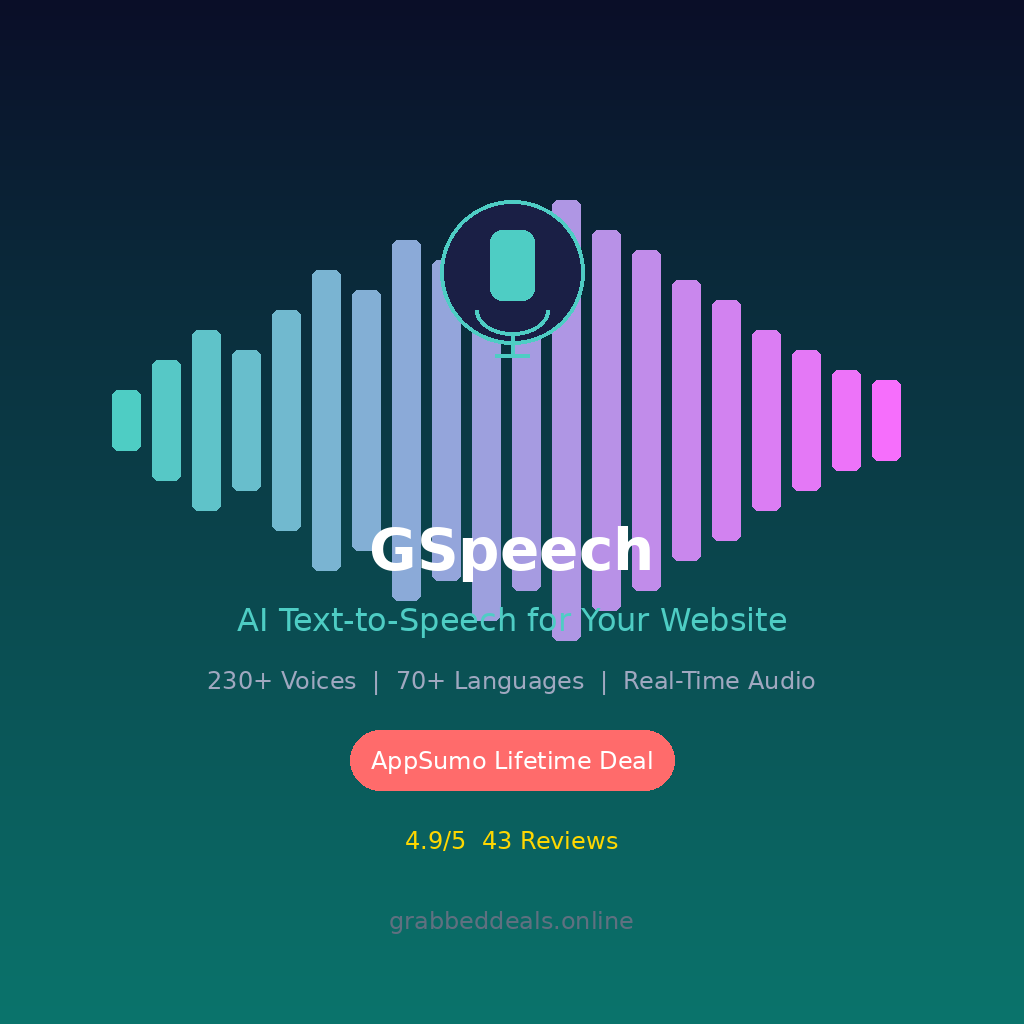
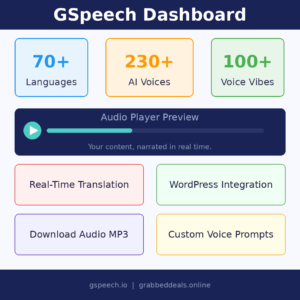
- Over 230 lifelike AI voices with 100+ pre-made “voice vibes”
- Real-time translation and audio generation in 70+ languages
- Customizable audio player that matches your site design
How Does GSpeech Work?
It is simpler than you’d expect. Here is the actual flow once you sign up:
- Create your account on gspeech.io and pick your plan. The Tier 1 AppSumo deal covers one website with 500,000 non-AI characters per month.
- Grab the embed code. From your GSpeech dashboard, copy the single-line JavaScript snippet.
- Paste it into your site. For WordPress, there is a dedicated plugin. For Shopify, Wix, Squarespace, or any HTML site, paste the snippet into your header or footer. Took me under three minutes on WordPress.
- Configure your player. Use the Audio Player Template Creator Wizard to choose your player style (full-page bar, floating button, or inline circle), pick colors, set the voice and language, and adjust the tone using a custom voice prompt.
- Go live and track plays. Your dashboard shows audio play statistics, usage by page, and monthly character counts. Audio files generate once on first load, then stream from the cloud for free every time after that.
Tips for Getting the Most Out of GSpeech
A few things I wish I had known before setting it up:
- Match the voice vibe to your content tone. GSpeech has 100+ pre-built voice vibes that shift how the AI reads. A “calm professional” vibe works great for business blogs; a “friendly conversational” style is better for personal posts. Spend ten minutes testing these before going live. It changes the feel of your narration entirely.
- Use the text panel to exclude unwanted content. By default, GSpeech reads everything on the page, including sidebar text and navigation labels. The text panel lets you exclude specific selectors or page sections. This is the single biggest quality-of-life setting most beginners miss. According to GSpeech’s official help center guide on player configuration, you can target exact CSS classes to control what gets narrated.
- Try the floating button style first. It adds audio to your site without visually breaking anything. Once you see how users interact with it, you can switch to a full-width player. Going big right away can feel intrusive.
- Pair it with GTranslate for multilingual sites. GSpeech is compatible with GTranslate, which means your translated pages can also have matching audio narration. If you serve a global audience, this combination dramatically improves accessibility across language markets, making it one of the better multilingual audio narration combos available.
- Do not overlook the MP3 download feature. Higher-tier plans let you download audio files, which means you can repurpose narrated blog posts as podcast episodes or email course audio clips. I have seen creators completely miss this because they only think of GSpeech as a website widget.
GSpeech Review: Pros and Cons
Honestly, it delivers on most of what it promises. But it is not perfect for every situation.
Pros
- Voice quality is genuinely impressive, especially with the newer neural engines
- Real-time sync means audio updates automatically when you edit your text
- One-time payment via AppSumo is a strong value proposition
- Setup is legitimately fast, even for non-technical users
Cons
- Tier 1 only covers one website, so agencies need higher tiers to scale
- No voice cloning: you cannot use your own voice
- AI credits for the advanced voices are not included on the entry-level plan
Top 5 Features of GSpeech
1. Real-Time Text-to-Speech Conversion
When you update your blog post, your audio updates too. No re-recording, no manual re-triggering. The system detects content changes and regenerates audio on the next page load. This is critical for evergreen content you edit regularly, like tutorials or product roundups.
2. 230+ AI Voices and 100+ Voice Vibes
The voice library is huge. You get different genders, accents, and speaking styles across 70+ languages. The voice vibe system layered on top of this lets you apply personality traits like “warm,” “authoritative,” or “energetic” to your chosen voice. This level of audio personalization is usually reserved for expensive enterprise voiceover platforms.
3. Custom Audio Player Builder
Using the drag-and-click Template Creator Wizard, you can design a player that looks native to your site. Colors, fonts, shapes, and player type are all adjustable. This matters for branding: a clashing, generic widget feels spammy; a polished, on-brand player builds trust with your audience, especially on product and service pages. Custom voice prompts and changelog-style text controls give you fine-tuned narration management.
4. Real-Time Translation and Multilingual Audio
This is where GSpeech pulls ahead of simple read-aloud plugins. It does not just narrate your text; it translates and narrates simultaneously in 70+ languages including Arabic, Mandarin, German, and French. For content creators targeting international audiences, this unlocks a whole segment of listeners who would otherwise bounce due to a language barrier.
5. Cloud-Based Audio Storage and Analytics
Audio is generated once and stored in the cloud. Subsequent plays are instant and do not slow your site. The dashboard gives you play counts, per-page usage, and monthly character consumption, which is useful for understanding which content actually gets listened to. This kind of audio engagement data is a product roadmap signal most content creators completely ignore.
GSpeech in Action
The official demo below walks through setting up GSpeech on a WordPress site from scratch, including player customization and voice selection. It is worth watching before you dive in because it shows a few configuration steps that are easy to overlook.
GSpeech Alternatives
ElevenLabs
ElevenLabs is the gold standard for voice cloning and ultra-realistic speech generation. It is incredibly powerful for standalone audio production, podcast creation, and voiceovers. However, it is not built for website integration, and its pricing scales up fast. If your focus is site-embedded narration at scale, GSpeech wins on simplicity and cost.
Speechelo
Speechelo was one of the earlier AI text-to-speech tools marketed to marketers and video creators. It handles video script narration reasonably well, but it lacks the real-time website sync, customizable player builder, and multilingual translation that GSpeech offers as core features. For website-first audio narration use cases, Speechelo feels dated.
ResponsiveVoice
ResponsiveVoice is a lightweight JavaScript-based TTS library that is free for non-commercial use. It works directly in the browser and is easy to embed. The trade-off is voice quality: it sounds noticeably more robotic compared to GSpeech’s neural AI voices, and customization is minimal. For budget-sensitive hobby projects it is fine; for professional publishing it falls short on audio quality and analytics.
Our Verdict
If you are looking for the best AI text-to-speech tool for bloggers and content creators in 2026, GSpeech on AppSumo is a serious option. It is not just a text reader bolted onto your site: it is a properly built audio narration layer with multilingual support, analytics, and a customizable player.
The 4.9-star rating across 43 AppSumo reviews is not an accident. Users genuinely like it, and the founder, Simon Poghosyan, is actively involved in the community and responding to questions.
Tier 1 is enough to get started. If you run multiple sites or have a large content library, Tier 2 or 3 makes more sense.
Ready to grab the deal? Check the GSpeech Lifetime Deal on AppSumo
Frequently Asked Questions (FAQ)
Q: Is GSpeech worth it in 2026?
For any website owner who publishes regular written content, yes. The voice quality is noticeably better than older TTS tools, and the real-time sync means your audio stays current without manual effort. The lifetime deal pricing makes the value case even cleaner.
Q: Does GSpeech have a free trial or free plan?
There is no permanent free plan listed, but the AppSumo deal comes with a 60-day money-back guarantee, which effectively gives you two months to test it on your live site with zero risk.
Q: Who is GSpeech best suited for?
Primarily bloggers, content publishers, e-commerce stores using WordPress or Shopify, and web agencies managing multiple client sites. It is especially valuable for anyone targeting multilingual audiences or wanting to improve content accessibility for visually impaired visitors.
Q: How long is the GSpeech lifetime deal available?
AppSumo campaigns run for a limited window. The deal is live now, but these typically close or revert to subscription pricing without much advance notice. If it fits your needs, acting sooner is the better call.
Q: Can I get a refund on the GSpeech lifetime deal?
Yes. AppSumo offers a 60-day money-back guarantee on this deal, so you have plenty of time to test it properly before committing.
Q: Does GSpeech work on mobile devices?
Yes. GSpeech is fully mobile-compatible and supports background audio playback on mobile browsers, which matters a lot for users who want to listen while doing something else on their phone.
Published by GrabbedDeals.online – Appsumo Deals | WP Themes & Plugins | DealFuel | Dealify | DealMirror | RocketHub | StackSocials | Others|