I noticed something strange when I checked my blog’s bounce rate last quarter. Pages where I had embedded audio were keeping visitors for nearly twice as long. Not fancy podcast episodes. Just simple narration of my existing written posts. That one small change nudged me toward testing every text-to-speech tool I could find. Most of them either sounded like a GPS gone wrong or cost a small fortune every month. Then I landed on GSpeech, a web-based AI voice tool that plugs directly into your WordPress site, and things got interesting. If you are looking for a solid [text to speech] solution without a recurring subscription eating your budget, stick around. Get more deals like this at GrabbedDeals.
What is GSpeech?
GSpeech is an AI-powered text-to-speech platform built for website owners, bloggers, content creators, and online educators who want to make their content accessible through audio. At its core, it is a cloud-based [voice narration software] that reads your site’s text out loud using lifelike neural voices, no recording studio or podcast equipment needed.
The platform was founded back in 2012 and has grown into a full cloud service with over 230 AI voices, support for 70-plus languages, and real-time translation capabilities. It integrates cleanly with WordPress, Joomla, Wix, Shopify, and any HTML-based site. The deal on AppSumo positions it as one of the most versatile AI narration platforms for content publishers who want to serve both readers and listeners.
Key attributes:
-
Cloud-hosted, no server installation needed
-
Compatible with WordPress, Shopify, Wix, and more
-
Supports audio download in MP3 format
How Does GSpeech Work?
Getting started is straightforward enough that I had it running on a test WordPress install within about fifteen minutes.
-
Sign up and grab your license key from your GSpeech dashboard after purchase.
-
Install the WordPress plugin (or paste a single line of JavaScript into your site’s HTML header for non-WordPress sites).
-
Connect your account inside the plugin settings using your API key.
-
Configure your audio player by choosing from the built-in Template Creator Wizard. Pick a style (full-width bar, floating button, or circle icon), match the colors to your brand, and save.
-
Publish or update any page or post and GSpeech automatically generates the audio on first load. It caches the file in the cloud after that, so there is zero performance hit on repeat visits.
That is genuinely it. The first time I published a post after setup, the audio player appeared at the top of the article without me touching a single line of code.
Tips for Using GSpeech
After running GSpeech across a few different content types, here is what I wish I had known from day one.
-
Choose a “voice vibe” before going live. GSpeech ships with 100-plus preset voice styles that adjust tone and pacing. I made the mistake of leaving it on the default and only discovered the “warm conversational” vibe weeks later. It made an immediately noticeable difference for long-form blog posts.
-
Use the real-time translation feature for multilingual landing pages. If you sell to a global audience, enabling translation directly inside GSpeech means you are not juggling a separate translation plugin. According to research on audio accessibility and user engagement, adding narration in a visitor’s native language significantly reduces exit rates on content-heavy pages.
-
Turn on play statistics from day one. A feature many beginners skip entirely. The dashboard tracks the number of plays per page, which tells you which content your audience actually prefers listening to.
-
Combine GSpeech with GTranslate if your site already uses GTranslate for multilingual text. The two are officially compatible, and syncing them means your translated text automatically gets narrated too.
-
Avoid activating GSpeech on checkout or form pages. The plugin does not distinguish between body copy and input labels, so you may end up with a voice narrating “Enter your card number.” Restrict activation to blog post post-types only using the URL whitelist in settings.
GSpeech Review: Pros and Cons
After running GSpeech across blog posts, product pages, and educational content, here is the honest breakdown. Nothing is perfect, but this one gets close for the price point.
Pros
-
Genuinely lifelike voices powered by OpenAI and Google Cloud neural engines
-
Real-time audio translation across 70-plus languages without needing a separate tool
-
Lightweight cloud delivery means no slowdown on your site
-
Fully customizable audio player that blends into almost any site design
Cons
-
No voice cloning feature if you want listeners to hear your actual voice
-
Tier 1 is limited to a single website, which could feel restrictive for agencies
-
The Template Creator Wizard, while intuitive, lacks a live preview on mobile breakpoints
Top 5 Features of GSpeech
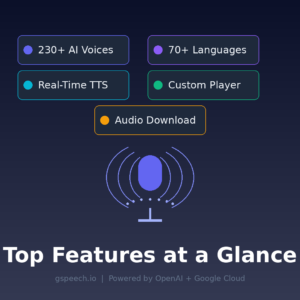
1. 230-Plus AI Voices with Voice Vibes
GSpeech does not hand you a monotone robot. The library covers over 230 neural voices across different genders, accents, and speaking styles. Layer on any of the 100-plus pre-made voice vibes and you get tonal control that feels closer to hiring a voice actor than running a script through a text editor. This is particularly useful for podcast-style articles and educational content where pacing and warmth matter.
2. Real-Time Text-to-Speech with Auto-Sync
Any time you update a post, GSpeech automatically regenerates the audio to reflect your edits. There is no manual re-render step. For sites that publish time-sensitive content, this real-time synchronization between written text and audio output is a big deal because outdated audio on a freshly updated post looks sloppy to your audience.
3. Real-Time Audio Translation in 70-Plus Languages
Beyond just reading text, GSpeech can translate your content and narrate it in a visitor’s preferred language on the fly. This supports major and less-common languages including Arabic, Mandarin, German, French, and dozens more. For content creators targeting international audiences, this feature alone can reduce the cost of localization significantly.
4. Customizable Audio Player with Template Creator Wizard
The built-in player builder lets you adjust colors, shapes, and layout styles to match your site’s brand. You can use a slim banner across the top of articles, a floating action button in the corner, or a compact circle icon. Each style has controls for font, background color, and player width, keeping your brand consistent without needing a developer.
5. Advanced Analytics and Audio Download
The dashboard shows play counts per page so you know exactly which pieces of content your audience is listening to most. You can also download any generated audio as an MP3 file for use in video voiceovers, course modules, or social media clips. The audio creation happens once on the cloud and is then cached for unlimited plays, so it never taxes your server.
GSpeech in Action
Seeing it run on a real site makes the setup process much clearer than any written walkthrough. The video below is GSpeech’s official demo showing the player setup, voice selection, and real-time translation feature in under ten minutes. Worth watching before you configure your first player.
GSpeech Alternatives
ElevenLabs
ElevenLabs has the most expressive AI voices on the market right now, with an impressive voice cloning feature that GSpeech does not offer. However, it is priced as a subscription service aimed at studios and production teams, making it overkill for a blogger who just wants narrated blog posts without a monthly bill.
Murf AI
Murf is popular among marketers and eLearning developers looking for a studio-quality [AI voiceover platform] with slide sync and background music mixing. It is a polished product, but it does not offer direct website embedding or a real-time website player, which is where GSpeech shines for site owners.
Speechelo
Speechelo is the alternative AppSumo lists directly on the GSpeech page, and it is aimed at video creators who need narrated voiceovers for YouTube or course content. It works well as an offline video tool but lacks GSpeech’s native website integration, real-time translation, and customizable audio player for live sites.
GSpeech Lifetime Deal: Our Verdict
If you are looking for the best AI text-to-speech tool for WordPress blogs and content sites in 2026, GSpeech delivers a genuinely competitive package. The voices are natural, the setup is fast, the player customization is solid, and the real-time translation is a genuine differentiator for anyone building multilingual audiences. The only scenario where I would pass is if voice cloning or offline desktop rendering is a hard requirement for your workflow.
For content creators, bloggers, and small agencies publishing regularly? This is a clean buy.
Ready to grab the deal? Get GSpeech on AppSumo
Frequently Asked Questions
Q: Is GSpeech worth it in 2026? Yes, especially at the AppSumo lifetime deal pricing. The combination of real-time translation, a customizable audio player, and auto-syncing audio makes it one of the most practical text-to-speech tools available for WordPress users. The 4.9-star rating across 43 verified AppSumo reviews backs that up.
Q: Does GSpeech have a free trial or free plan? GSpeech does not currently list a public free plan, but AppSumo’s 60-day money-back guarantee effectively gives you two months to test it risk-free before committing.
Q: Who is GSpeech best suited for? It is built for bloggers, content marketers, online educators, and web agencies who publish regular written content and want to add audio accessibility without hiring voice talent or managing podcast hosting. It also suits e-commerce store owners using WordPress or Shopify who want multilingual audio on product pages.
Q: How long is the GSpeech lifetime deal available? AppSumo lifetime deals run for a limited window and close without warning. Once the campaign ends, pricing moves to GSpeech’s standard monthly subscription tiers on their own website.
Q: Can I get a refund on the GSpeech lifetime deal? Yes. AppSumo offers a 60-day money-back guarantee on all lifetime deals, including GSpeech. No questions asked within that window.
Q: Does GSpeech work on mobile devices? Yes. GSpeech is fully responsive and supports audio playback in the background on mobile devices, including iOS and Android. The audio player adapts to small screens without any additional configuration.
Published by GrabbedDeals.online – Appsumo Deals | WP Themes & Plugins | DealFuel | Dealify | DealMirror | RocketHub | StackSocials | Others|