Ads are everywhere, and they are getting harder to ignore. AdGuard Family Plan is built to change that across every device your household owns. Right now, StackSocial is offering a lifetime subscription for just $15.97, covering up to 9 devices with no recurring fees. Get Lifetime Deals
What is AdGuard Family Plan?
AdGuard is a cross-platform ad blocking and privacy protection solution built for families who want a cleaner, safer internet without paying a monthly fee. It falls squarely in the security and privacy software category, and it is designed for households with multiple devices, parents who need parental controls, and anyone tired of intrusive ads eating up their bandwidth and screen space.
Where most free browser-based ad blockers cover only one browser on one device, AdGuard works at the system level. That means it blocks ads inside apps, not just web pages. It protects smartphones, tablets, laptops, and desktops running Windows, macOS, iOS, and Android under one family license.
AdGuard is consistently well-reviewed by verified users on G2, holding a 4.6 out of 5 star rating, and sits among the top-rated tools in the privacy and security software space.
Key things AdGuard Family Plan covers:
- Ad blocking across browsers and in-app on mobile
- Tracker and data collection prevention
- Malware and phishing site protection
How Does AdGuard Family Plan Work?
- Purchase and receive your code. After checkout on StackSocial, you receive a redemption code by email immediately. You have 30 days to redeem it.
- Download AdGuard. Install the AdGuard app or browser extension on your device. It supports Windows, macOS, iOS (12+), and Android (7+).
- Activate your license. Enter the redemption code inside the AdGuard app to unlock the Family Plan on up to 9 devices.
- Configure your filters. Choose which filter lists to enable: ads, trackers, malware, adult content, or social media widgets.
- Set up parental controls. For family devices used by children, enable the parental control module to block inappropriate categories and set custom rules.
Tips for Using AdGuard Family Plan
- Assign devices strategically. The Family Plan covers 9 devices. Prioritize phones and tablets first since in-app ads on mobile are often the most disruptive, then add desktops.
- Use the DNS filtering feature. AdGuard’s DNS-level filtering blocks ads before they even reach your browser, which makes it faster than extension-only blockers on slower connections.
- Enable parental controls per device, not globally. Apply strict content filters only to kids’ devices so adult household members do not hit false positives on legitimate sites.
- Combine AdGuard with a password manager. According to verified reviews on Capterra, the best privacy tools work in layers. Pairing AdGuard’s tracking prevention with a strong password manager covers the two most common household security gaps.
- Do not enable all filter lists at once. New users sometimes activate every available list and end up breaking certain websites. Start with the default recommended filters and add custom ones only if you notice specific issues.
AdGuard Family Plan Review: Pros and Cons
AdGuard earns its strong reputation across review platforms, but it is worth knowing both sides before you commit.
Pros
- Covers 9 devices with a single one-time payment
- Works system-wide, including inside apps, not just browsers
- Strong parental controls with category-level filtering
- Rated 4.6/5 on G2 and 4.5/5 on Capterra by verified users
Cons
- Not a VPN: does not mask your IP or encrypt traffic
- Initial filter configuration can be intimidating for non-technical users
- New users only: existing AdGuard subscribers cannot upgrade at this price
Top 5 Features of AdGuard Family Plan
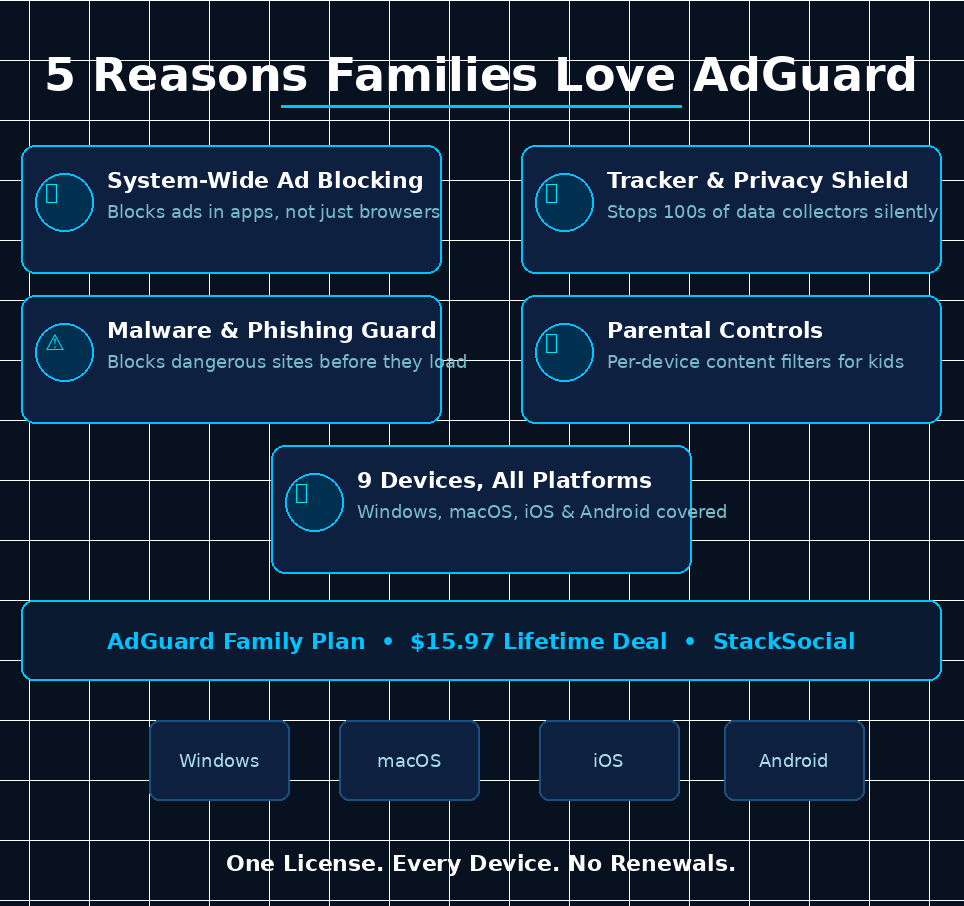
1. System-Wide Ad Blocking
AdGuard blocks ads at the network level across every app on your device, not just inside a browser. This includes YouTube app ads, in-game ads on mobile, and banner ads inside free apps on iOS and Android. The result is a noticeably faster, cleaner experience across the whole device.
2. Privacy and Tracker Protection
Every site you visit tries to collect behavioral data. AdGuard’s privacy module identifies and blocks hundreds of known trackers and analytics scripts, preventing advertisers from building a profile on you or your family members across the web.
3. Malware and Phishing Protection
AdGuard maintains an updated database of malicious domains. When a household member clicks a suspicious link, the request is blocked before the page loads. This is especially useful on kids’ devices where accidental clicks on spam links are common.
4. Parental Controls
Parents can restrict access to adult content, gambling sites, social media, and other category-specific content on a per-device basis. Custom allow and block lists let you fine-tune what each family member can and cannot access.
5. Multi-Platform, Multi-Device Coverage
The Family Plan activates on up to 9 devices spanning Windows, macOS, Android (7+), and iOS (12+). One account, one dashboard, and one code manages the whole household without separate subscriptions for each device or operating system.
AdGuard Family Plan Alternatives
uBlock Origin
uBlock Origin is a free, open-source browser extension that handles ad and tracker blocking well in desktop browsers. It has no parental controls, no mobile app, and no system-wide protection, making it a solid free option for solo users but a poor fit for families with multiple devices and kids.
NextDNS
NextDNS operates at the DNS level and can protect an entire home network if configured on a router. It offers parental controls and privacy filtering, but it requires more technical setup and runs on a subscription model after a free usage tier. AdGuard’s lifetime deal is better value for families who do not want to manage DNS settings.
Little Snitch (macOS only)
Little Snitch is a network monitor for macOS that shows and blocks outgoing connections. It is powerful for privacy-conscious power users but is macOS-exclusive, has no parental controls, and costs significantly more. AdGuard covers more devices, more platforms, and more use cases for families.
Why Choose the Lifetime Deal?
Paying month to month for privacy and security software adds up fast. At standard pricing, AdGuard Family Plan costs $169.99 per year. Over three years, that is over $500 for the same protection you can lock in forever right now for $15.97.
The lifetime deal model, popularized by platforms like StackSocial, eliminates that recurring cost entirely. You pay once, and you get all future updates included at no additional charge. For families running 5 to 9 devices, that ROI is immediate from day one.
- One-time payment, zero monthly fees going forward
- Locks in full access before any future price hikes
- Covers up to 9 devices: ideal for households with kids and multiple gadgets
- Ideal for families, remote workers, and privacy-conscious users on a fixed budget
Once the StackSocial campaign closes, pricing is expected to revert to the standard annual subscription model.
What is the AdGuard Family Plan Lifetime Deal?
| Field | Details |
|---|---|
| Plan / Tier | Family Plan: $15.97 (90% off) |
| Includes | Ad blocking, tracker protection, malware filtering, parental controls, updates included |
| Max Devices | 9 devices (desktop and mobile) |
| Supported OS | Windows 7-11, macOS 10.15+, iOS 12+, Android 7+ |
| Deal Source | StackSocial |
| Redemption Deadline | 30 days from purchase |
| Refund Policy | Store credit within 30 days if unredeemed; all sales final once redeemed |
| Deal Status | Active, limited time |
AdGuard Family Plan Lifetime Deal: Our Verdict
If your household runs more than two devices and you are paying for ad blocking or parental control software month to month, this deal is a straightforward win. At $15.97 for lifetime access across 9 devices, AdGuard Family Plan is one of the most practical lifetime deals available in 2026. The parental controls alone make it worth it for parents, and the system-wide ad blocking on iOS and Android puts it ahead of free browser extensions.
The only real caveat: this is for new AdGuard users only, and the redemption window is 30 days from purchase. If you are on the fence, waiting costs you nothing except the deal going away.
Ready to grab the deal? Claim the AdGuard Family Plan Lifetime Deal on StackSocial for $15.97
Summary
AdGuard Family Plan is a cross-platform ad blocker and privacy suite that covers up to 9 devices with one lifetime license. It blocks ads inside apps and browsers, protects against trackers and malware, and gives parents per-device content controls. The StackSocial lifetime deal at $15.97 is 90% off the standard $169.99 annual price, making it an exceptional value for families and multi-device households. Redeem within 30 days of purchase and enjoy ad-free browsing with no recurring fees, ever.
Frequently Asked Questions (FAQ)
Q: Is AdGuard Family Plan worth it in 2026? Yes, especially at the current StackSocial lifetime deal price of $15.97. It covers 9 devices across all major platforms and includes features like parental controls and malware protection that free ad blockers do not offer.
Q: Does AdGuard have a free trial or free plan? AdGuard offers a free browser extension with basic ad blocking, but the full system-wide protection, parental controls, and multi-device coverage require a paid plan. The lifetime deal on StackSocial is the most cost-effective way to access all features.
Q: Who is AdGuard Family Plan best suited for? It is ideal for families with multiple devices, parents who need content controls for kids’ screens, and anyone using multiple smartphones and laptops who wants consistent ad and tracker protection without paying per device.
Q: How long is the AdGuard Family Plan lifetime deal available? The StackSocial listing shows it is expiring soon, and over 100,000 units have already been sold. The deal is active but unlikely to remain at this price for long.
Q: Can I get a refund on the AdGuard Family Plan lifetime deal? Unredeemed licenses can be returned for StackSocial store credit within 30 days of purchase. Once you redeem your license code, all sales are final.
Q: Does this plan include a VPN? No. AdGuard Family Plan is an ad blocker and privacy tool, not a VPN. It does not mask your IP address or encrypt your traffic. StackSocial also sells AdGuard VPN separately if you need that functionality.
Published by GrabbedDeals.online – Appsumo Deals | WP Themes & Plugins | DealFuel | Dealify | DealMirror | RocketHub | StackSocials | Others|